Systems management portfolio.
A decade leading UX architecture and team management for Dell's systems management software portfolio. Two products, iDRAC for the single server and OpenManage Enterprise for the fleet, held to one coherent UX across four generations of PowerEdge. The portfolio is now the systems management flavor of the ISG Design System, Dell's community-built design language.
Available alternate (unused):
images/sysmgmt-xx-idrac8-network-alt.png — iDRAC8 Network page with 6 top tabs and Jump-to anchors. Stronger "fragmented IA" example than current FIG. 03 if a swap is wanted.
Two products, one coherent UX, four generations of hardware underneath them.
The stack is two products. iDRAC is the per-server controller, agent-less and out-of-band, on every PowerEdge. OpenManage Enterprise is the fleet console, managing thousands of servers from one browser. My work is UX architecture and team management across both, across four generations of PowerEdge (14G through 17G), with iDRAC10 shipping in September 2025 with the first complete UI reinvention in eight years.
Treat the portfolio as a design system.
Before this work, Dell's server management surfaces had drifted. iDRAC, OME, Lifecycle Controller, CloudIQ, each with its own grammar. The ISG Design System is Dell's answer, a community effort across the ISG org contributing tokens, IA principles, and interaction patterns. My team's contribution is the systems management flavor of it, and iDRAC10 is where that flavor first shipped in public.
Dell KB: KB 000348267, iDRAC10. Info Hub walkthrough: Navigating the New iDRAC10 Interface.
iDRAC10 is the first IA refresh in over a decade.
iDRAC's UI hadn't seen a meaningful redesign in over a decade. Admins were reaching around the UI, not through it. iDRAC10 is a complete redesign. Four IA shifts matter most.
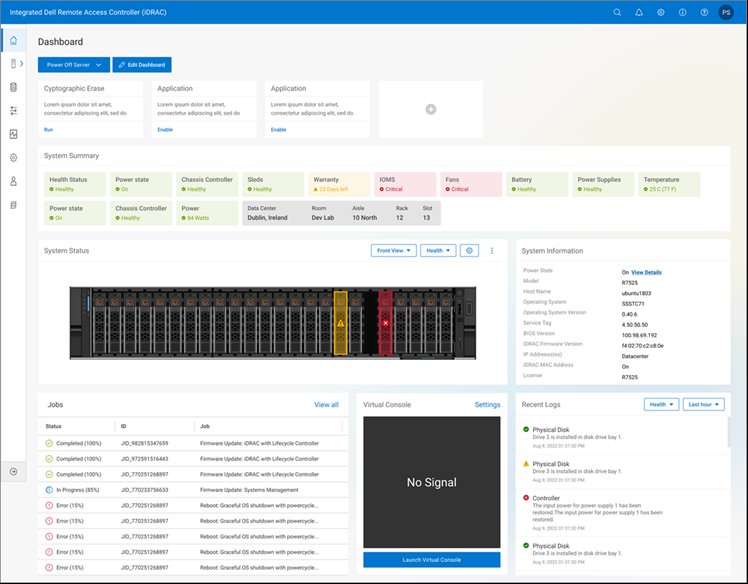
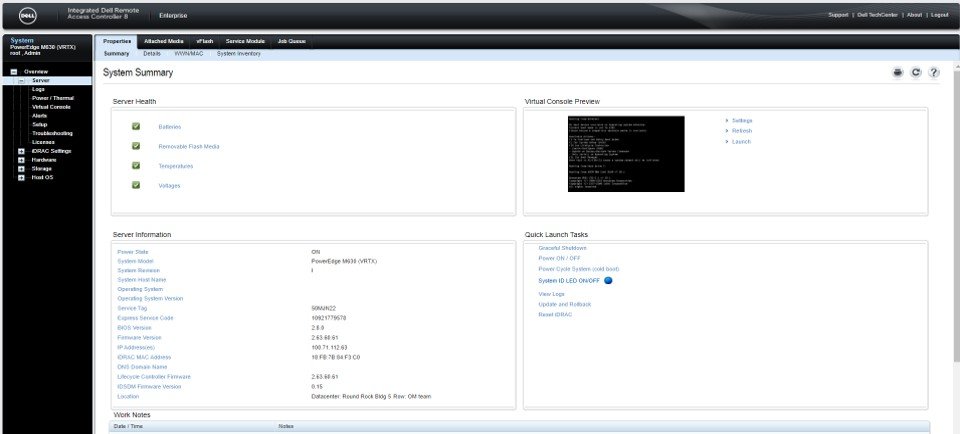
IA.01Home page · text overview to health dashboard.
iDRAC8's home was a dense summary with recent logs and a deep sidebar. iDRAC10 leads with color-coded health icons for every critical subsystem. Glance-to-triage from one view.
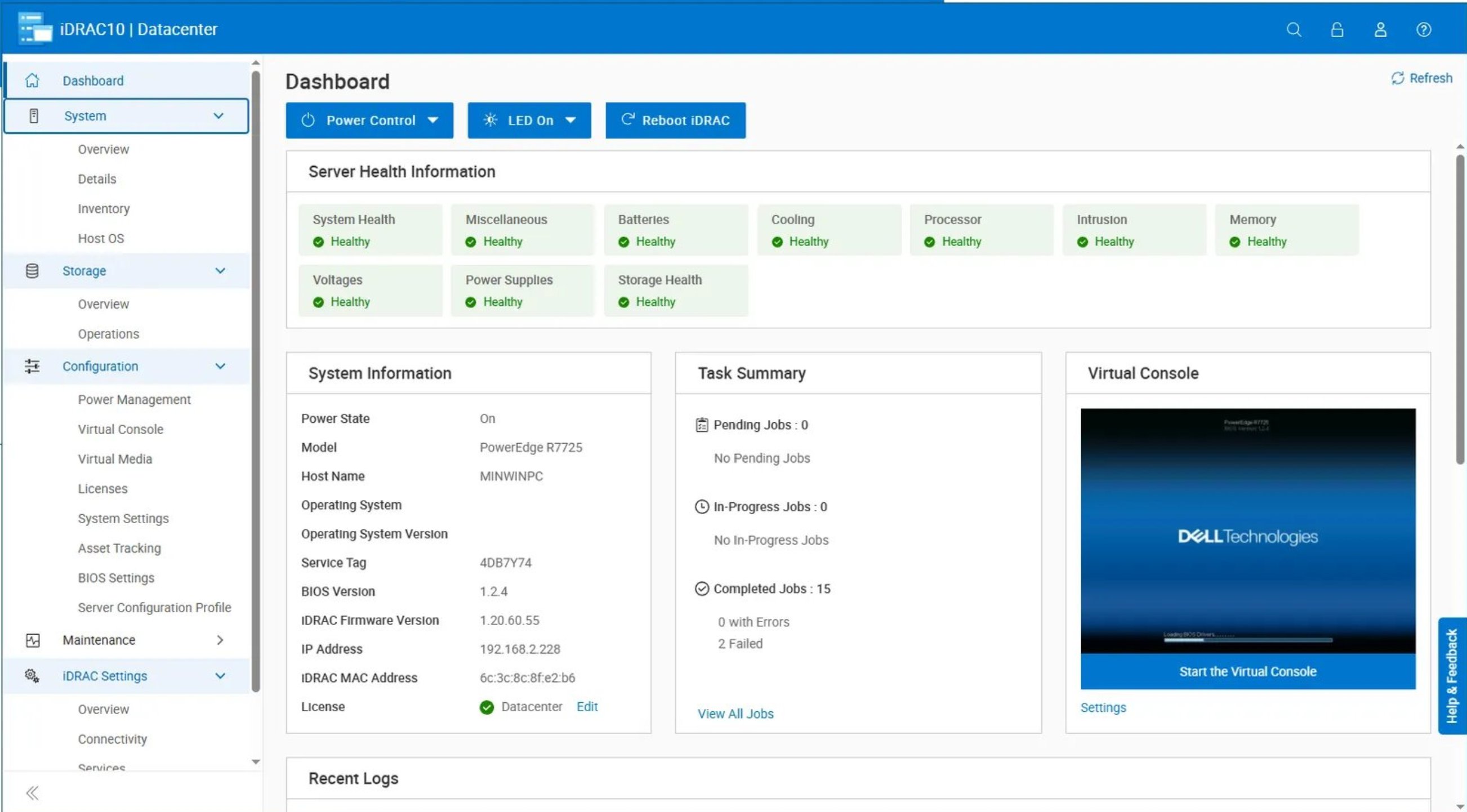
IA.02Navigation · nested sidebar to flat left-side expandable.
Nav moved from a deeply nested sidebar accordion to a flat left-hand vertical with in-place expansion. The old pattern made admins drill three levels down to reach a setting. The new one keeps sibling options visible and optimizes for the 99% case of an admin returning to a known task.
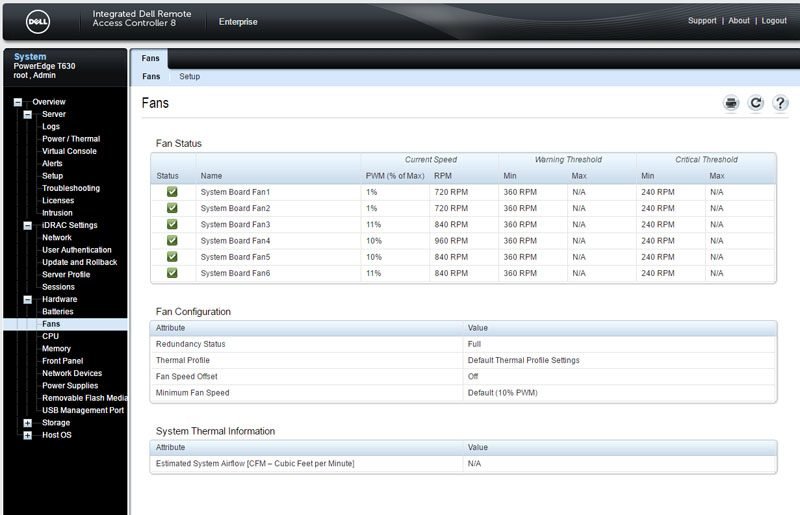
IA.03Detail expansion · dedicated sub-pages to side panel.
iDRAC8 used dedicated sub-pages for every detail view. To inspect fans, you'd drill into Hardware, then Fans, then a separate page; to compare two subsystems, lose your place. iDRAC10 uses row selection plus a persistent side panel. The list keeps its place, and it separates two actions that used to collide: selecting a row to see it versus checking a box to act on it in bulk.
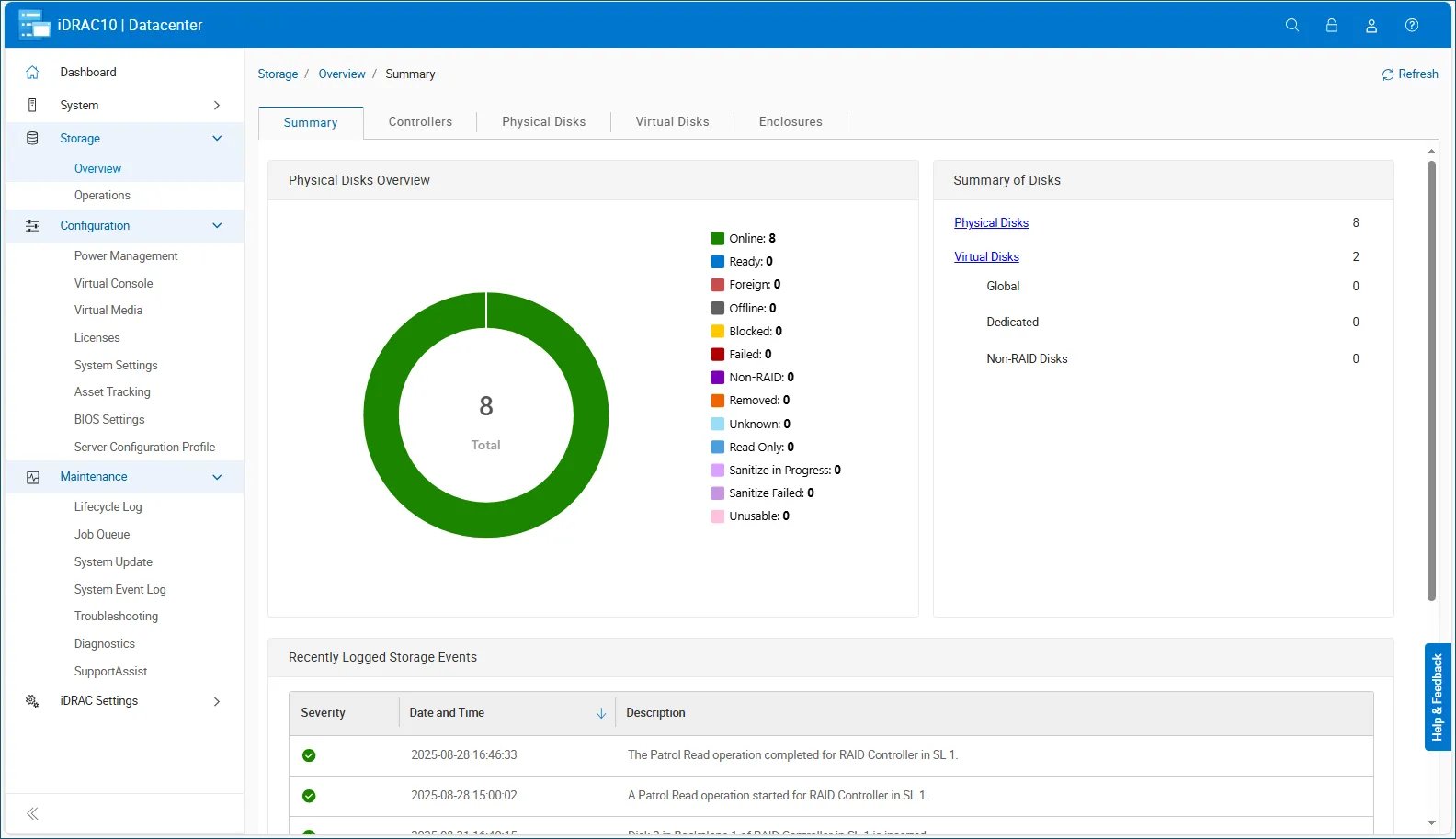
IA.04Information architecture · fragmented menus to consolidated tabs.
The Storage Overview shown above is the clearest example. iDRAC8 split controllers, physical disks, virtual disks, and enclosures across a deep menu hierarchy. iDRAC10 consolidates them into one tabbed page. The same approach extends to a new Environments tab, which brings cooling, power, and temperature under one roof.
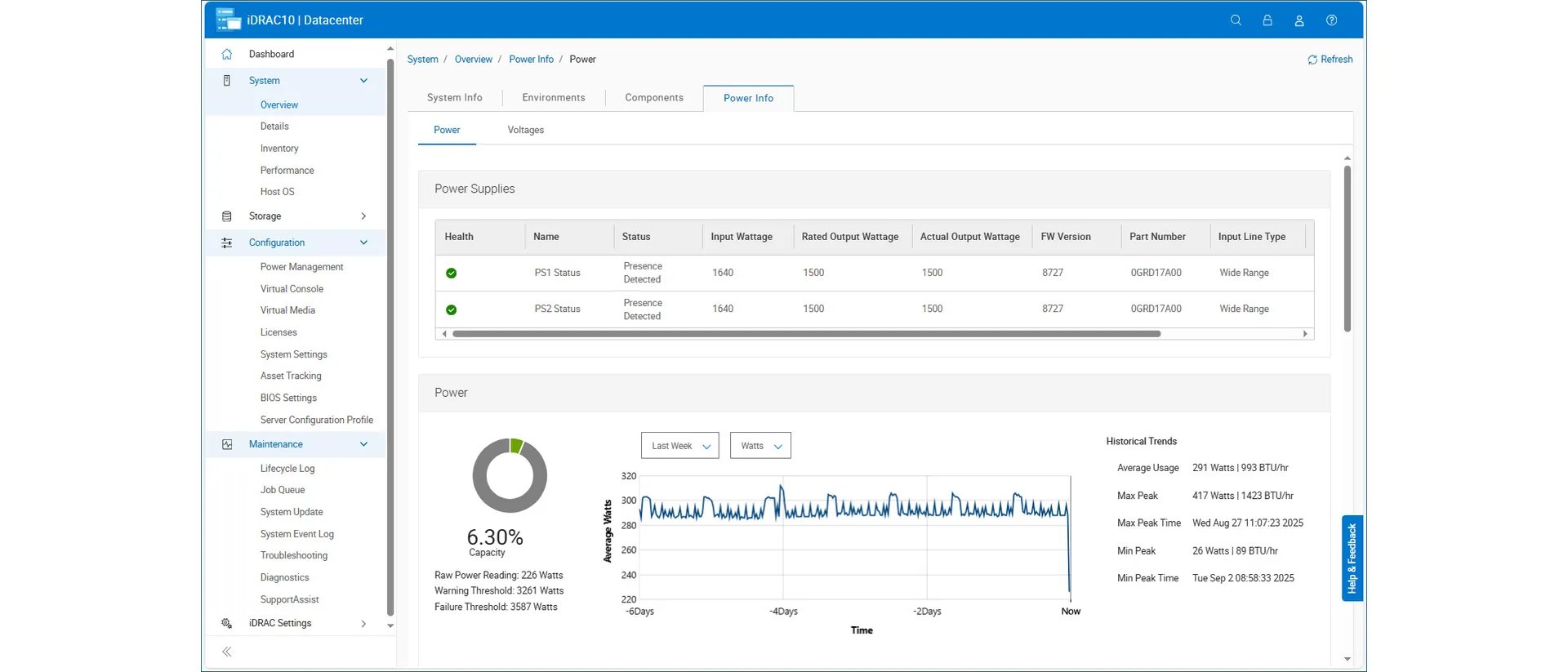
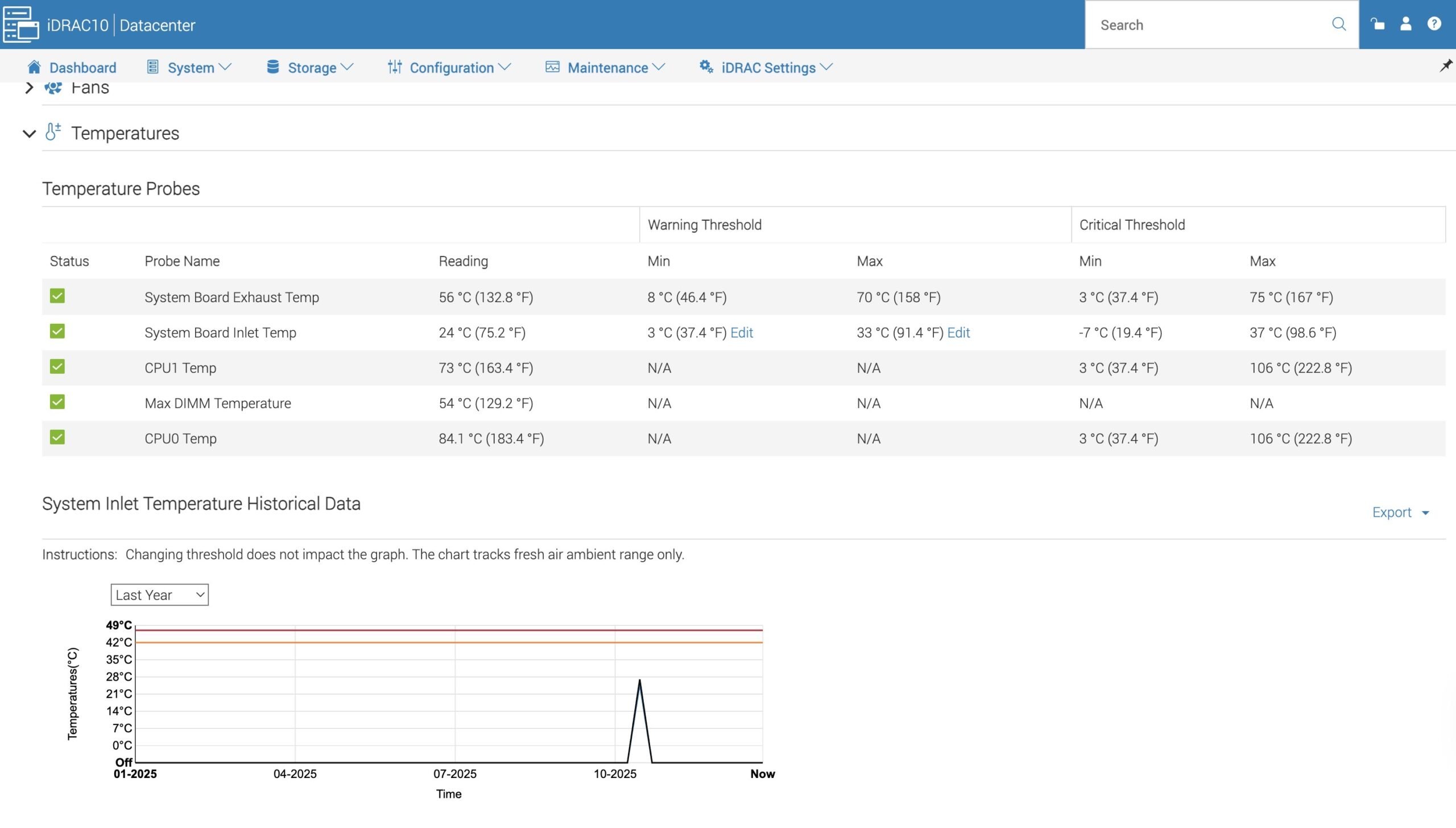
The iDRAC9 controller hasn't seen any significant changes to its web interface for a long time... With firmware version 1.20.60.55 applied, the new iDRAC10 web interface is a very welcome update as it isn't just a refresh, but a complete redesign.
OME applies the same design intent as iDRAC, at fleet scale.
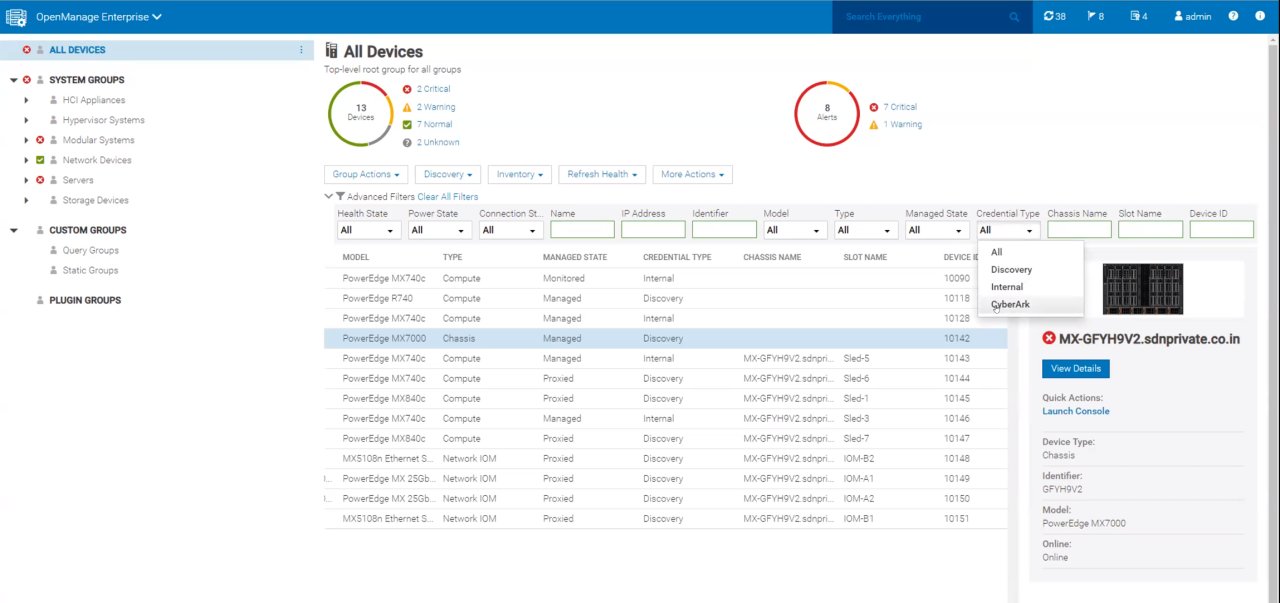
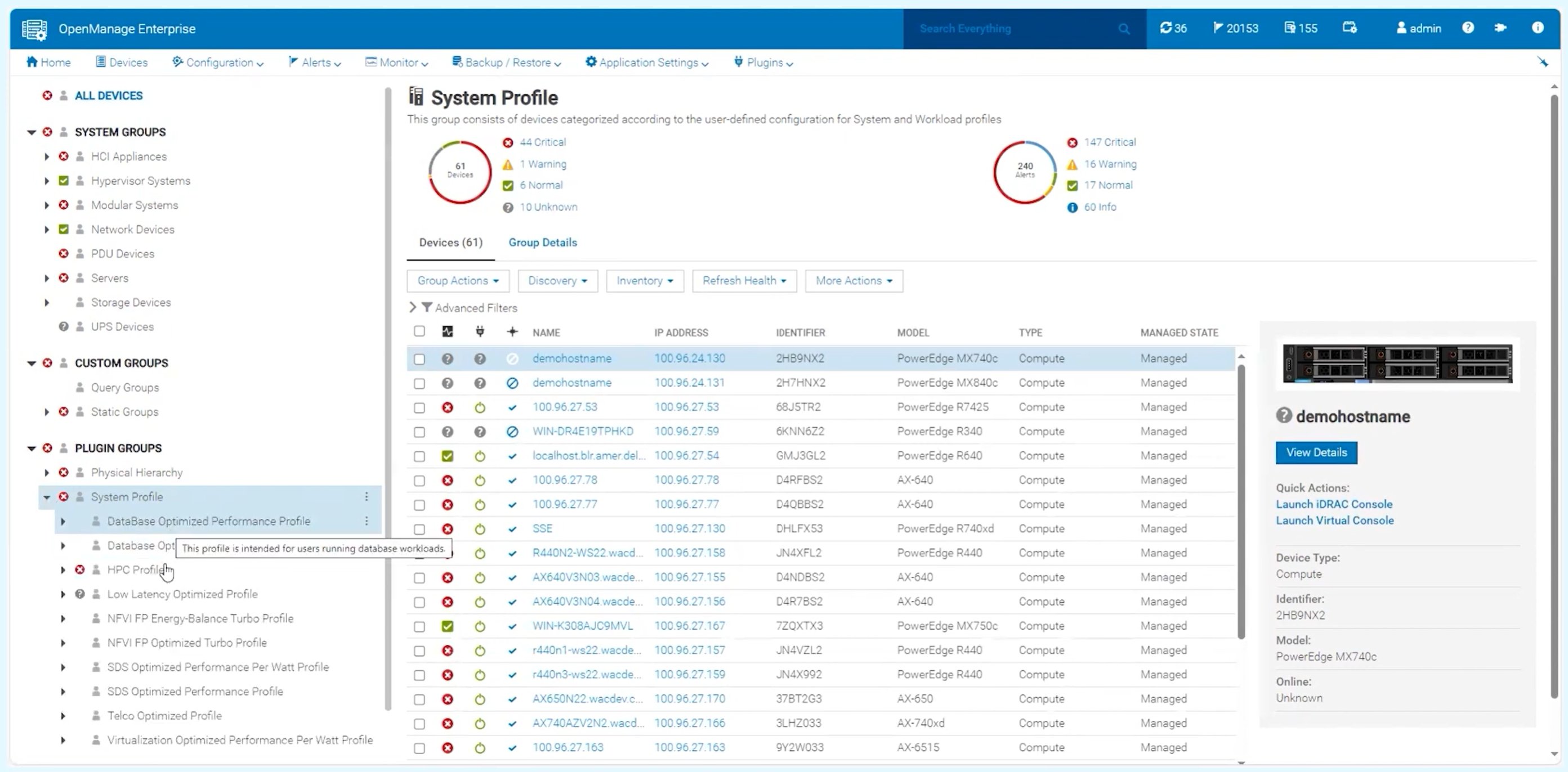
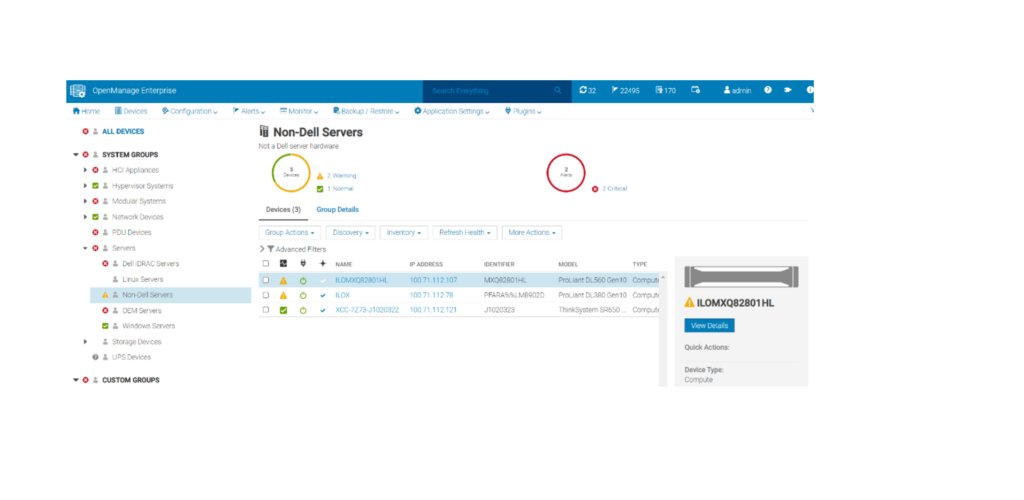
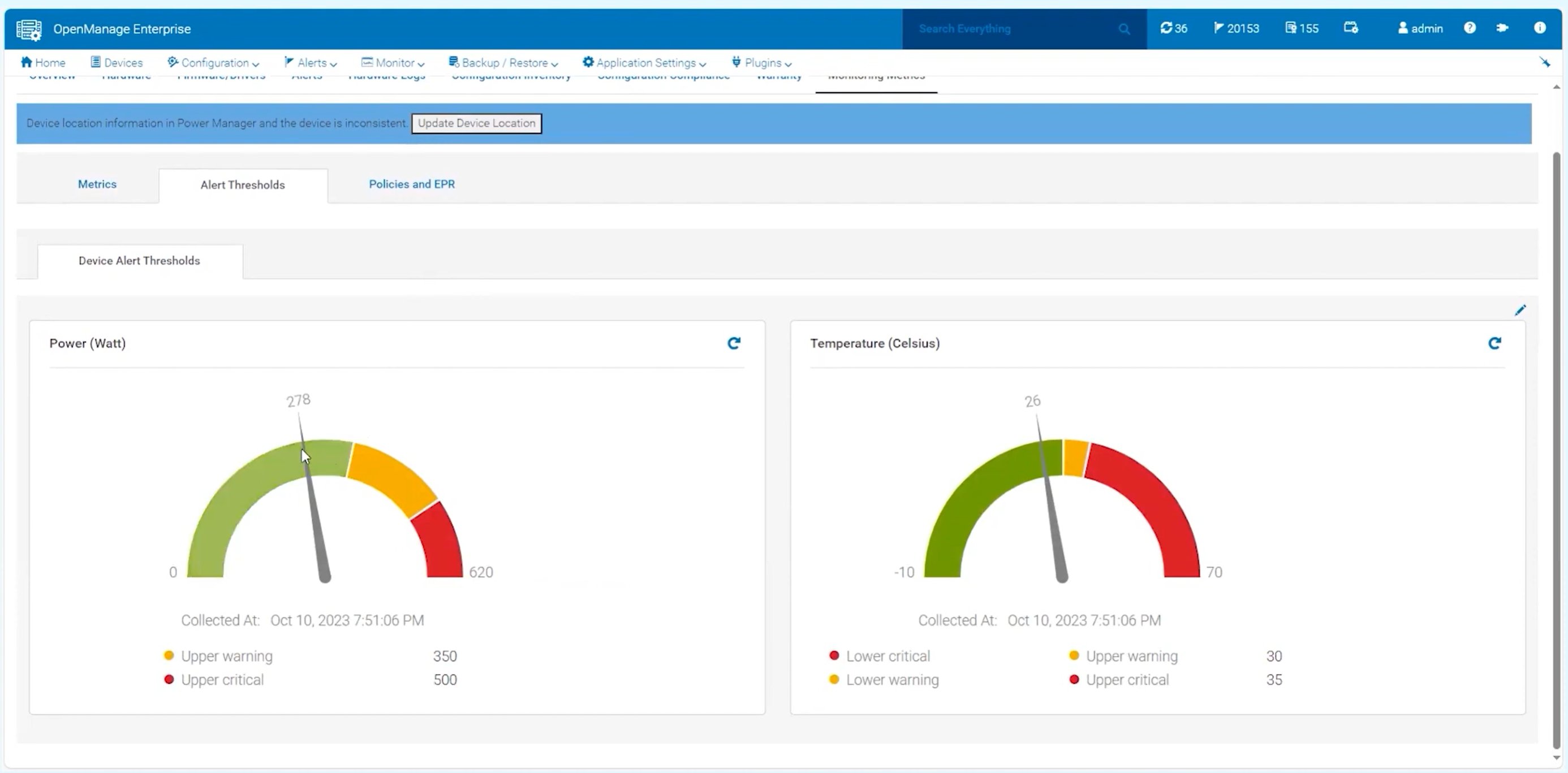
OpenManage Enterprise is the fleet console, up to 8,000 devices under full management and 25,000 in monitoring-only mode, in one browser. The design problem is the inverse of iDRAC's. iDRAC has to give you everything about one machine without drowning you. OME has to give you the shape of thousands without reducing them to a number. 4.6 added a SmartFabric topology view, native Apache Kafka, a rebased SLES 15 SP6 appliance, and new deployment targets (Proxmox, Nutanix AHV, OpenShift).
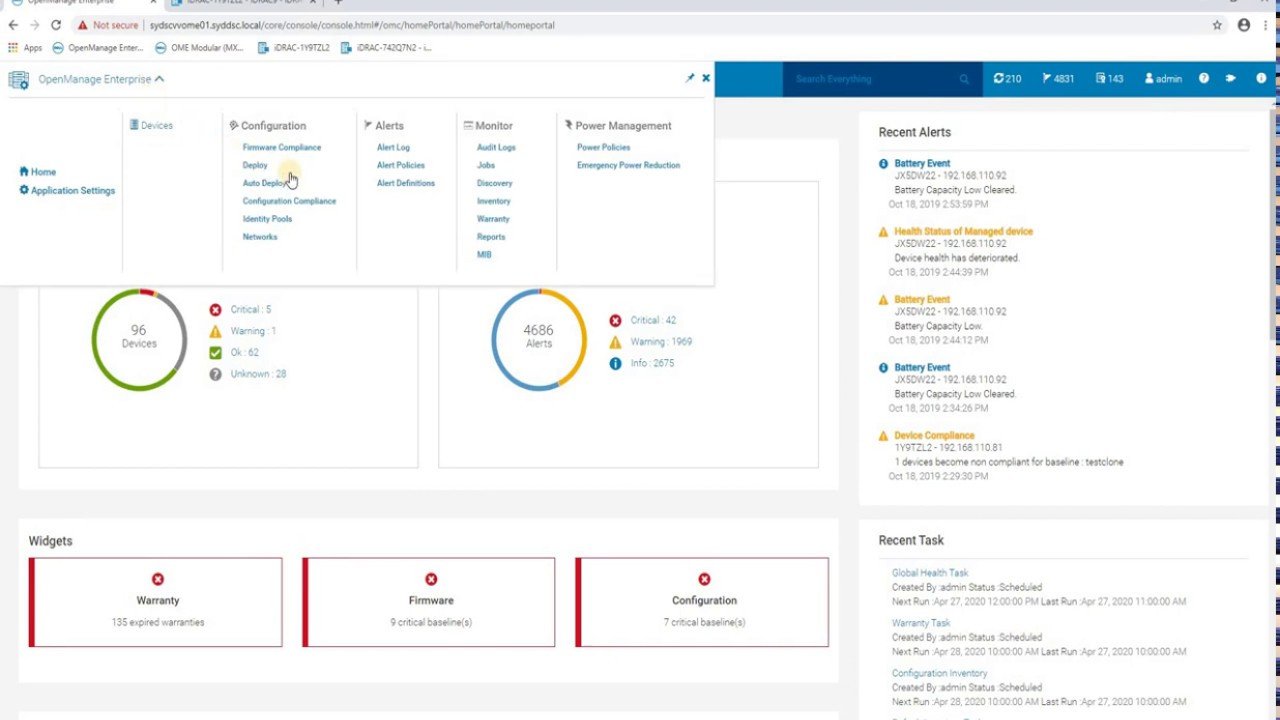
The framework is extending. The portfolio is cohering.
ITPro reviewed iDRAC10 as a complete redesign, not a refresh. What matters more internally is that agentic AI for systems management plugs into the same IA and the same design tokens. The flavor isn't just carrying visual cohesion, it's the substrate the next generation is being built on.